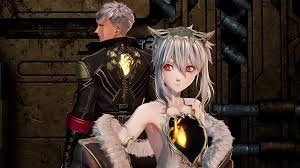
Players who pre-ordered Code Vein 2 or purchased its Deluxe or Ultimate editions can rest easy—your bonus content is already linked to your account. The game provides all necessary content because it contains everything needed to play the game. Instead, rewards unlock automatically once you access the correct menus or vendors.
Importantly, the game doesn’t grant all bonuses instantly. Cosmetic items are managed through the customization screen, while select weapons must be purchased from a merchant in the main hub. Knowing where to look makes claiming every reward straightforward.
What Each Code Vein 2 Edition Includes
Your bonuses depend on the version of the game you own because all rewards require your Bandai Namco account for redemption. This means any character created on the same account can use them.
Standard Edition (Pre-Order Bonuses)
- Stylized Forma Set
- Twin Fangs of the Lone Wolf: Dual blades with a special engraving and lunging attack
- Forma Face Paint option
Deluxe Edition
Includes all Standard Edition items, plus:
- Custom Outfit Pack
- Three additional costume sets
- One bonus weapon
- Mask of Idris story expansion (arriving later, not available at launch)
Ultimate Edition
Includes all Deluxe Edition content, plus:
- CODE VEIN character costume set
- Six outfits inspired by characters from the original game
- Digital mini artbook
- Digital soundtrack
How to Equip Bonus Outfits and Face Paint
Cosmetic rewards unlock automatically when you start or load a save.
- Start a new game or load an existing character.
- Open the pause menu and access the outfits and accessories section.
- To change outfits:
- Go to the Body section.
- Scroll to find bonus costumes and select one.
- To apply face paint:
- Open the Face section.
- Select Forma Face Paint and confirm.
You can change your appearance anytime later from the main hub, so early choices aren’t permanent.
How to Get Pre-Order Weapons
Bonus weapons don’t appear directly in your inventory. Instead, they must be purchased in-game.
- Progress through the story until you reach the main hub.
- Locate the weapon merchant, Jadwiga.
- Open her shop and look for items marked as bonus or pre-order.
- Purchase them using Haze, the in-game currency.
If you’re short on Haze, defeat nearby enemies, earn more, and return to the vendor.
Future DLC and Digital Extras
Mask of Idris Expansion
- Included with Deluxe and Ultimate editions
- Not playable at launch
- Scheduled for release in January 2027
- Will appear as a new story section accessible via the menu or a hub NPC
Digital Artbook and Soundtrack
- Accessed outside normal gameplay
- On PC, they usually appear as separate items in your game library
- On consoles, check the extras or special content section
Release Dates and Early Access
- Standard Edition: Available from January 30, 2026
- Deluxe & Ultimate Editions: Up to three days of early access, depending on region
Because bonuses are account-based, they remain available across all new saves on the same account.
Fixing Common Issues
Outfits not appearing
- Confirm you purchased the correct edition
- Ensure you’re logged into the account used for purchase
- Restart the game and recheck the customization menu
Weapons missing from the shop
- Progress further until the main hub and vendor are unlocked
- DLC-linked items won’t appear until their respective content is released
Using Your Bonuses in Code Vein 2
The game allows you to access different character customization options through bonus outfits and face paint and pre-order weapons. The rewards provide additional character customization options which players can use to create their desired appearance and gameplay style from the beginning of the game as long as they have the required edition for their account.